
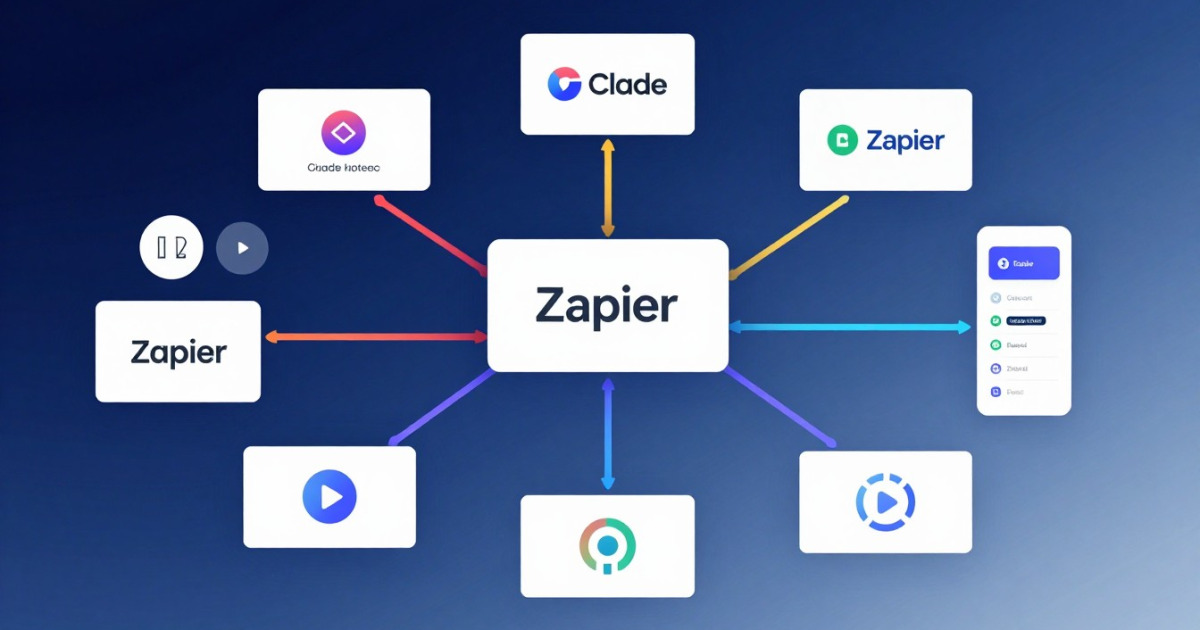
Artificial intelligence doesn't live on an island. Claude is incredibly powerful, but its true potential shines when you connect it with the rest of your digital ecosystem. Whether you need to automate workflows, integrate data from multiple sources, or create custom solutions, learning to connect Claude with other tools is the logical next step in your automation journey.
In this article, I'll show you how to integrate Claude with APIs, platforms like Zapier, and other solutions, transforming the way you work and opening up possibilities you probably never imagined.
Why integrate Claude with other tools?
Think of it this way: Claude can process natural language and generate intelligent responses, but it can't directly access your database, send emails, or update spreadsheets without help. Integrations bridge this gap.
When you combine Claude with other tools, you get:
- Intelligent automation: Processes that don't just execute, but think and adapt.
- Frictionless workflows: Data flows where it needs to be without manual intervention.
- Scalability: What works for one use case can be replicated to hundreds without additional effort.
- Better decisions: By combining real-time data with Claude's analysis, your decisions are more informed.
The truth is simple: integrating Claude multiplies its value exponentially.
API Integration: The technical but powerful way
If you have technical knowledge (or access to a developer), APIs are your best option for maximum flexibility.
How does it work? Claude offers a REST API that you can call from any programming language. You make an HTTP request, send your prompt and text, and receive Claude's intelligent response.
A practical example: imagine you manage a customer service operation. You could create a script that:
- Receives customer emails from your mail server
- Automatically sends them to Claude for analysis
- Claude classifies the email (urgency, topic, sentiment)
- Based on the classification, automatically routes the email to the correct department
- Generates a preliminary response that the team can review
With Claude's API, all of this happens in seconds and without manual human intervention.
Advantages of using API: Total control, predictable costs, enterprise security, 100% custom integrations.
Disadvantages: Requires technical knowledge, initial development time, ongoing maintenance.
Zapier: No-code automation for mere mortals
If the word "API" gives you hives, Zapier is your friend. This platform is like the Lego of automation: you connect visual blocks without writing code.
Zapier offers native integration with Claude (though technically through custom HTTP actions). Here's how it works in practice:
Real scenario: You have a Google Forms form where customers submit consultation requests. You want Claude to process them, generate an automatic summary, and save it to a spreadsheet with an assigned task.
- Step 1: You set up a Zap that triggers when someone completes the form
- Step 2: You use the HTTP action to send the form data to Claude
- Step 3: Claude processes the information and returns a structured summary
- Step 4: The summary is automatically inserted into a new row in Google Sheets
- Step 5: Optionally, sends a notification to Slack to your team
All configured with clicks, without touching a single line of code.
Advantages of Zapier: Intuitive visual interface, integration with 9,000+ apps, no code needed, quick to implement.
Disadvantages: Less flexible than custom APIs, cost per transaction can grow, limitations on very complex flows.
Going to install a Skill? Analyze it first
Detect malicious code, leaked secrets, and prompt injection in seconds. Free.
Analyze a SkillOther integration platforms to explore
Zapier and APIs aren't your only options. The ecosystem is richer:
Make.com (formerly Integromat): Similar to Zapier but with more design freedom and better visual tools. Ideal if you want more complex automations but still prefer not to touch code.
n8n: The open-source option. If you think Zapier is too expensive and you have a server to deploy it on, n8n gives you total control and is more economical in the long run.
Direct integrations: Many enterprise apps (Slack, Teams, Notion, HubSpot) have official documentation for integrating Claude. They're often the best option because they're optimized specifically for those platforms.
Webhooks and custom actions: If your tool allows outgoing webhooks, you can send data directly to Claude without intermediaries.
Real use cases that are already working
Let's talk about concrete examples where companies are doing this now:
Support ticket analysis: A support team integrated Claude to automatically analyze every incoming ticket, extracting sentiment, urgency, and solution recommendations. They reduced response time by 40%.
Report generation: A marketing agency connected Claude with their analytics tools. Every week, Claude automatically generates narrative reports instead of just tables of numbers. Clients love the clarity.
Content moderation: A Community Manager uses Claude integrated with their social media management tool. Every comment is automatically analyzed to detect spam or toxicity before it's published.
Data enrichment: A B2B company sends leads from their CRM to Claude, which automatically generates psychographic profiles and personalized product recommendations. The sales team starts with golden information.
Steps to start your first integration
If you're ready to try it, here's where to start:
- Identify the problem: What manual workflow consumes time? Where could Claude add value?
- Choose your tool: API for maximum control? Zapier for speed? Something else?
- Start small: Don't try to automate the entire department at once. A small proof of concept first.
- Test, iterate, scale: Seeing results will motivate you to expand.
- Document everything: Your future self (and your team) will thank you.
And here's the important part: you don't need to be a software engineer to do this. Modern tools are designed for people like you.
Conclusion: The future is connected
Claude is incredible, but integrated Claude is transformational. Whether you use APIs, Zapier, Make, or any other platform, the message is the same: connect the tools you already use and let Claude add intelligence to them.
The future of work isn't just about AI. It's about connected AI, flowing through your existing systems, making things faster, smarter, more human.
Ready to integrate? Explore the Claude Skills available at skillshubmcp.com. We've compiled a collection of pre-built integrations and step-by-step guides that accelerate your process. From Zapier templates to code examples for APIs, you'll find exactly what you need to take your automation to the next level. Download your first Skills today and start transforming how your team works.
¿Prefieres escuchar el contenido? Genera la narración de audio con un clic.