
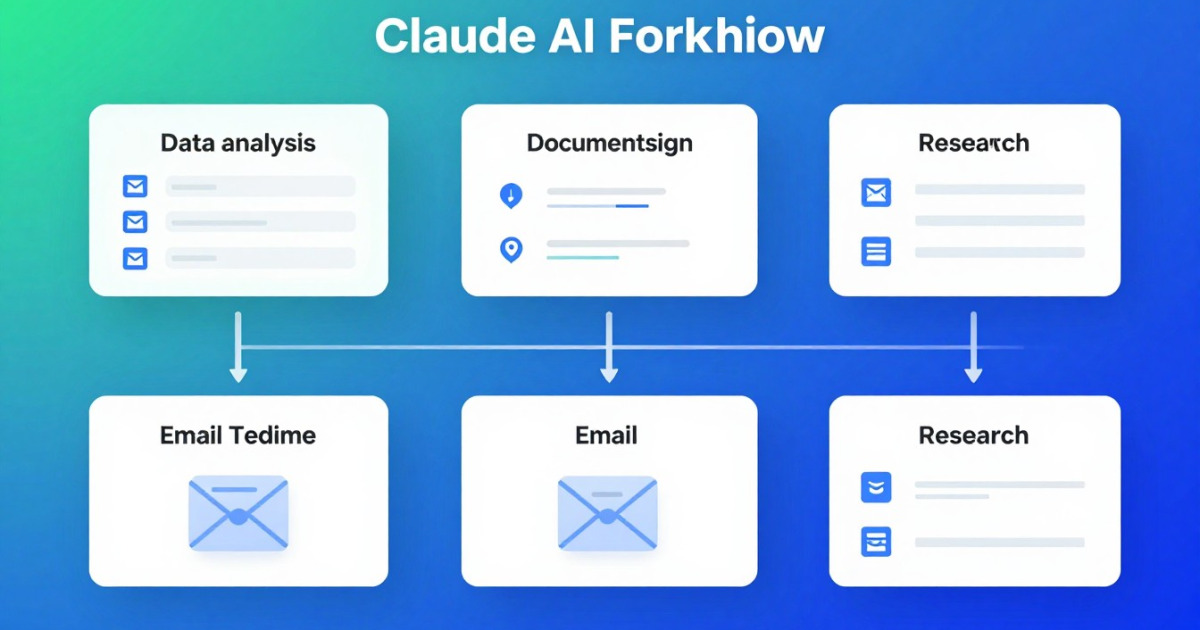
If you've ever wondered how to take Claude to the next level of productivity, you're in the right place. Claude Skills are the answer to that question many people ask: how do you make Claude not just answer questions, but actually execute complex tasks autonomously? In this article, I'll show you exactly how they work with real examples you can implement today.
What are Claude Skills and why should you care?
Skills are functional extensions for Claude that allow it to perform specific actions beyond conversation. Imagine Claude is a brilliant executive, but without access to tools. Skills are those tools that turn it into someone capable of completing entire projects.
The difference is fundamental: without Skills, Claude can analyze and suggest. With Skills, Claude can execute, automate and integrate your work processes. This isn't a luxury, it's a transformation in how you work.
The result? Fewer manual tasks, more time for what really matters, and decisions based on automatically processed data. Sounds good, right?
Example 1: Automate data analysis with a processing Skill
Imagine that every morning you receive a CSV with 500 sales records. Currently, you spend 45 minutes reviewing, filtering and summarizing the most important data.
With a data processing Skill, the workflow looks like this:
- You upload the CSV file in the conversation with Claude
- You ask it to execute the automatic analysis Skill
- Claude processes, identifies anomalies, calculates trends and generates a report in less than 2 minutes
- You receive actionable insights without lifting a finger
The real step-by-step:
First, you'd activate the data Skill in your Claude settings. Then, you'd simply say: "Analyze this sales file from last month, identify the best-performing products, regions with declines, and give me an executive summary in 3 paragraphs."
Claude would automatically execute the statistical analysis, create visualizations if the Skill allows it, and return exactly what you asked for. The time saved isn't just minutes, it's monthly hours you get back.
Example 2: Create technical documentation automatically
This example is pure gold for developers and technical teams. Suppose you just completed a Python project, but documenting is the last thing you feel like doing (let's be honest).
With the documentation Skill:
- You share your source code with Claude
- You indicate the desired format (Markdown, Sphinx, or HTML)
- The Skill analyzes the structure, extracts functions, parameters and dependencies
- Generates complete documentation with usage examples
- Even proposes improvements in code readability
The practical result: What normally takes 3-4 hours is completed in minutes. And we're not talking about mediocre documentation; Claude understands context, intent and best practices. The documentation you get is professional from the first attempt.
This is especially powerful if you work in distributed teams where documentation is your only communication about how the code works.
Example 3: Email management and intelligent prioritization
Your inbox has 127 unread emails. Some are urgent, others are advertising, and some require specific actions. How much time would you waste reviewing manually?
An email management Skill would change the game:
- Claude accesses your inbox (with permissions you define)
- Automatically analyzes each email by context and urgency
- Groups by category: urgent, to respond later, information, spam
- Can even draft template responses for recurring emails
- Notifies you only of items that really need your attention
The impact: You go from 45 minutes reviewing email to 5 minutes processing the ones that matter. It's a radical change in how you structure your day.
Plus: If the Skill is integrated with your calendar, Claude can even schedule meetings or adjust priorities based on your existing commitments. Intelligent automation, not blind.
Going to install a Skill? Analyze it first
Detect malicious code, leaked secrets and prompt injection in seconds. Free.
Analyze a SkillExample 4: Research and content compilation
You need to research the latest trends in machine learning for an article. Normally, this means 2-3 hours browsing, reading, taking notes and synthesizing.
With a research Skill:
- You define the topic and search parameters
- Claude executes the Skill that accesses reliable sources
- Collects relevant information from multiple sources
- Synthesizes the findings into a structured outline
- Returns verified citations and links to original sources
The result is a solid starting point that saves hours of research, allowing you to focus on the creative part: the analysis, opinion, and unique presentation of that information.
How to get started: The real first steps
Here's what's important: you don't need to be an engineer to use Skills. The process is surprisingly simple:
- Identify your repetitive task: What's the most time-consuming task in your week?
- Find the appropriate Skill: Visit skillshubmcp.com and explore the gallery of available Skills
- Activate it in your Claude settings: It's literally: one button and done
- Test with a small example: Don't try to automate your entire workflow on day one
- Adjust based on results: Skills learn from your feedback
The learning curve is almost flat. If you know how to use Claude, you know how to use Skills.
The future is here (seriously)
What's fascinating about Skills is that they represent the leap from "conversational assistant" to "intelligent executive partner." Claude stops being a tool you consult and becomes a tool that executes.
Companies that adopted Skills months ago are already reporting 15-30% reductions in repetitive administrative tasks. It's not magic, it's intelligent automation applied systematically.
The question isn't whether you should use Skills. The question is: how much time are you willing to waste before implementing them?
Conclusion: Your turn
The examples I shared aren't fiction. They're real implementations that hundreds of users are already using to transform how they work. From data analysis to documentation, email management to research, Claude Skills close the gap between "understanding" and "executing."
The time you invest setting up a Skill today multiplies exponentially in days, weeks and months. That's the real magic.
If you're ready to change your relationship with productivity, your next step is to explore the available Skills. The improved version of how you work is waiting.
Want to get started? Head to skillshubmcp.com and discover the complete gallery of Skills for Claude. There are options for every role, every industry, every type of task. Find the one that fits your workflow, activate it, and get ready to recover hours of productivity every week. Your future self will thank you.